Spectrava
A downloadable game for Windows
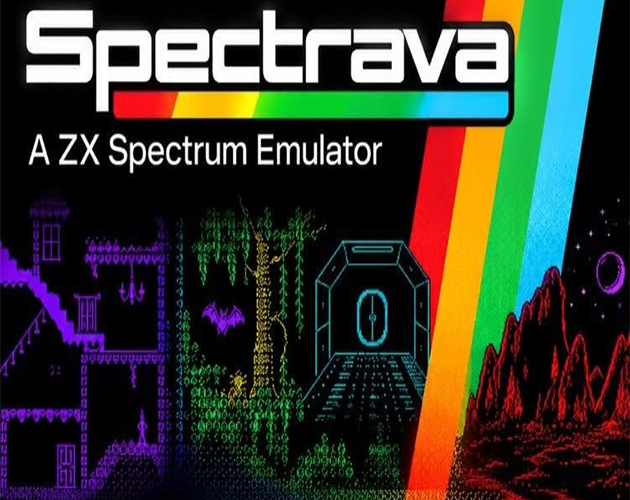
SPECTRAVA
A ZX Spectrum Emulator
Spectrava brings the Sinclair ZX Spectrum 48K and 128K to your Windows PC. It’s a single download with no installer: unzip it, run it, and drop a game onto the window.
It’s built to be accurate enough for games. Loading stripes, border effects, the 128K’s AY sound chip and the timing tricks that demos rely on all behave the way they did on the real hardware.
FEATURES
Two machines, one click
- ZX Spectrum 48K and ZX Spectrum 128K. Switch between them with F9.
- The original Sinclair ROMs are built in, so there’s nothing extra to find or download.
Load your games your way
- Supports TAP and TZX tapes, and SNA and Z80 snapshots.
- Drag a file onto the window and Spectrava types LOAD “” for you.
- Fast loading: standard tapes load instantly.
- Real loading: turn fast loading off for the full experience, with the authentic tape sound, the striped border and the wait.
A cassette deck that actually works
- When you load at normal speed, a cassette recorder (modelled on the Sony TCM-939) docks beside the emulator.
- The reels turn, the tape moves from one spool to the other, and the counter ticks up.
- PLAY, PAUSE, REW, FF and STOP/EJECT all work when you click them.
- It closes by itself once your game has loaded.
Virtual keyboards
- Press Ctrl+K for an on-screen keyboard that matches the machine you’re running.
- The 48K gets the classic grey rubber keys and the 128K gets the “toastrack” keyboard. Every keyword and symbol is printed on the keys.
- Click the keys to type, and watch them light up as you play.
CRT scanlines
- Light, Medium or Heavy, for that old-TV look on a modern screen.
Save everything
- Snapshot saving and loading, plus quick save and quick load.
- SAVE from BASIC writes a real .tap file you can load back later.
- F12 takes pixel-perfect screenshots at the Spectrum’s native 256 × 192 resolution.
Plus
- Kempston, Sinclair and Cursor joystick support, using your gamepad or the arrow keys.
- A recent files list, so you can get back to your favourite games quickly.
- Full screen, window sizes from 1x to 4x, and turbo mode.
- A hidden surprise or two for those who go looking.
UNDER THE BONNET
- A full Z80 core, including the undocumented instructions and flags. It passes Patrik Rak’s z80full, z80ccf and z80memptr test suites.
- Exact frame timing, contended memory and the floating bus.
- 128K memory paging and AY-3-8912 sound in stereo.
GETTING STARTED
- Download and unzip.
- Run Spectrava.exe.
- Drag a .tap, .tzx, .z80 or .sna file onto the window.
- Press F1 at any time to see every key.
Windows may show a “Windows protected your PC” message the first time, because the app isn’t code-signed. Click More info, then Run anyway.
SYSTEM REQUIREMENTS
- Windows 10 or 11 (64-bit).
- Any gamepad is optional.
CREDITS
- The Sinclair ZX Spectrum ROMs are © Amstrad plc. Amstrad allows them to be distributed with emulators, but not sold.
- Spectrava uses SDL2 (zlib licence).
Please don’t use Spectrava to download or share copyrighted games you don’t own. Thousands of Spectrum titles are freely and legally available from their authors, and from archives such as Spectrum Computing.
UPDATE 16/10/26
POKE MEMORY (CHEATS) -------------------- * Options > POKE memory... changes bytes in the Spectrum's memory while a game is running - the classic way to get infinite lives, more time and so on from magazine cheat listings. * Type the POKEs as they are printed, one per line or separated by colons, then click POKE: POKE 35136,0 : POKE 43200,0 The word POKE is optional. Numbers can be decimal or hex ($8940, #8940, 0x8940 or 8940h). * Peek (show) lists what is in those addresses now, without changing anything - handy to check a POKE is for the right version of a game. * The emulator pauses while the window is open. If anything is wrong (a typo, a value over 255, an address in the ROM), nothing is changed and the window says which POKE needs fixing. * 128K: a POKE goes to the memory the program can see at that moment. To write into a particular RAM bank, use bank,address,value - for example 3,49152,0 writes to the first byte of bank 3. * The POKEs you typed stay in the box for next time (until you quit). * Load the game first: POKEs change the running program, so loading or resetting afterwards undoes them.
UPDATE 17/10/26
Virtual keyboards now more lifelike.
UPDATE 20/10/26
What’s new:
- Any controller works: Xbox and PlayStation pads, arcade sticks and plain USB joysticks. They work as soon as they’re plugged in, and a message shows which controller number each one became.
- Two controllers at once for two-player games. Controller 1 starts as Kempston and controller 2 as Sinclair 1.
- Options > Joysticks & gamepads... opens a setup window where you choose:
- which device is controller 1 and which is controller 2;
- what each one works as: Kempston, Sinclair 1 (keys 6–0), Sinclair 2 (keys 1–5), Cursor/Protek/AGF, or Fuller.
- Custom button assignments: in the same window, every button, d-pad direction, stick direction and trigger can be set to:
- joystick directions, Fire, or Fire 2 (Kempston);
- any Spectrum key, or BREAK;
- Pause, Quick save, Quick load, the virtual keyboard, or Turbo while held.
- Remembered: assignments are saved per type of controller, so they come back when it’s plugged in again.
- Default layout:
- Gamepads: d-pad and left stick are the joystick, A/B/X/Y are Fire, Start is ENTER, and Back/Select is SPACE.
- Plain joysticks: the stick or hat is the joystick, and buttons 1–4 are Fire.
- Arrow keys: Options > Arrow keys (F7) can now also act as Sinclair 2 or Fuller, as well as the existing modes.
UPDATE 21/10/26 pt1
Spectrava 2.7 has a Game Library that shows everything in the ROMS folder as a wall of box art. Open it with Ctrl+G or the new View menu.
The layout:
- Top bar: Spectrum stripes, the “GAME LIBRARY” title, a search box and a game count. Just start typing to search.
- Categories: a row of tabs for ALL, FAVOURITES, and one per folder inside ROMS (for example ARCADE or ADVENTURE). Tab steps through them.
- Grid: box-art tiles with the game name underneath. The selected game has a yellow border, and favourites have a yellow star.
- Right-hand panel: a large picture of the selected game with its name, type, size and folder, plus these buttons:
- PLAY
- ADD FAV
- SHOW FILE (opens its folder in Explorer)
- ADD ART / CHANGE ART / REMOVE ART
- Games without art get a coloured card with their name and the stripes, so the wall still looks tidy.
- Controls:
- Mouse: click to select, then double-click or click PLAY to load.
- Keyboard: arrow keys, Enter to play, F for favourite, Esc or Ctrl+G to close.
- Gamepad: d-pad to move, A to play, B to close, Y for favourite, shoulder buttons for categories.
- Choosing a game loads it and closes the library. The emulator pauses while the library is open.
ROMS\Arcade\Manic Miner.tzx with Manic Miner.png next to it. There are three ways to add it:- copy the picture into the folder yourself;
- click ADD ART, pick any PNG or JPG, and Spectrava copies and renames it for you;
- drag a picture onto the library window to use it for the selected game.
UPDATE 21/10/26 pt2
Spectrava 2.8 is ready: you can now redefine keys for each game and save them. Remapped keys typed what they were set to, unchanged keys still worked as normal, and the menu, the window and Save all worked.
Where the keys are saved: I went with one file per game, named after the game, in a new KEYS folder next to Spectrava.exe (for example KEYS\Manic Miner.ini).
- Keeping them out of the ROMS folder stops it filling up with extra files.
- The file name ignores the file type, so
Manic Miner.tzxandManic Miner.z80share the same keys. - The files are plain text, so people can edit them in Notepad or share them.
How it works:
- Load a game, then choose Options > Redefine keys for [game name]...
- Press a PC key (or click it in the list), then pick what it does: any Spectrum key, joystick up, down, left, right or fire, BREAK, “Does nothing” or Normal.
- You can also set a joystick type for each game (Kempston, Sinclair, Cursor or Fuller). It’s used by the arrow keys, by keys set to joystick moves, and by USB joysticks and gamepads while that game is loaded.
- After you press Save, the keys come back every time the game loads, with a “Your keys for this game are on” message. Keys you haven’t changed work as usual.
- Enter and Esc can be redefined too, so they don’t close the window; use Save or Cancel.
Download
Install instructions
- Download and unzip.
- Run Spectrava.exe.
- Drag a .tap, .tzx, .z80 or .sna file onto the window.
- Press F1 at any time to see every key.
Comments
Log in with itch.io to leave a comment.
Agreed, nice emulator!
Thank you :)
This is a good emulator. Enjoyed playing around with it! Well done!
Thank you :)